See what’s eating your disk space.
Instantly. Visually. Accurately.
Say goodbye to sluggish disk trees and endless folder digging. DiskViewer turns your storage into an interactive, squarified treemap where massive space hogs can’t hide.
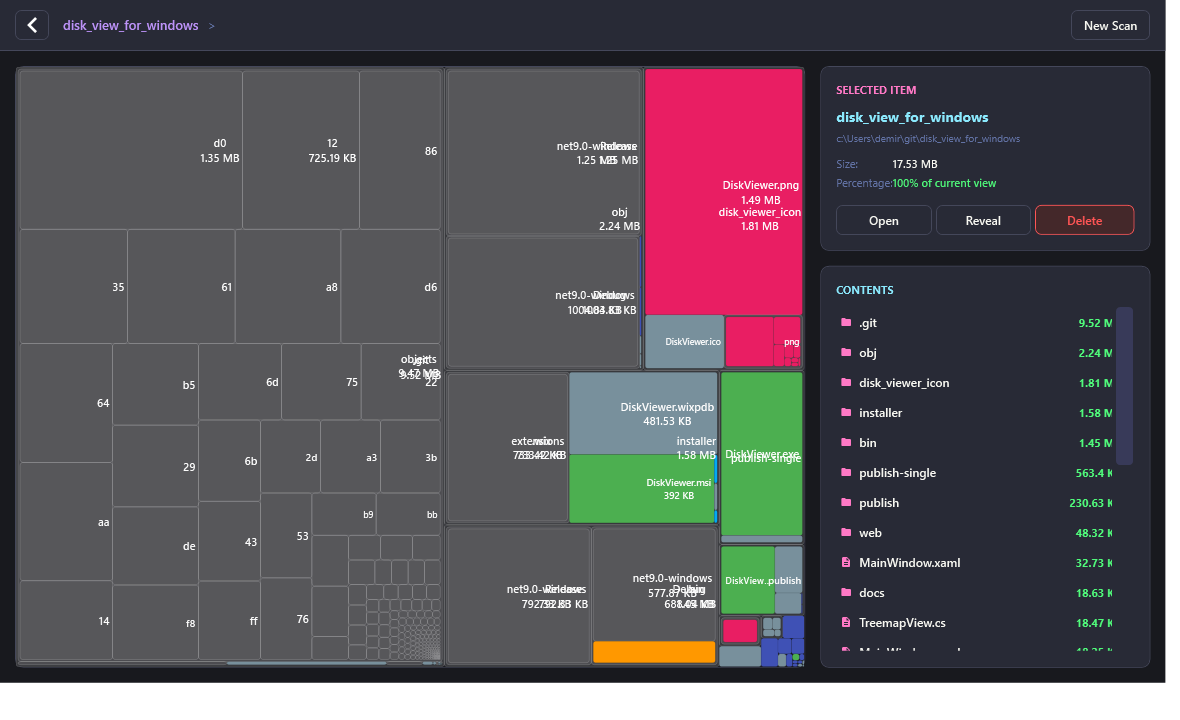
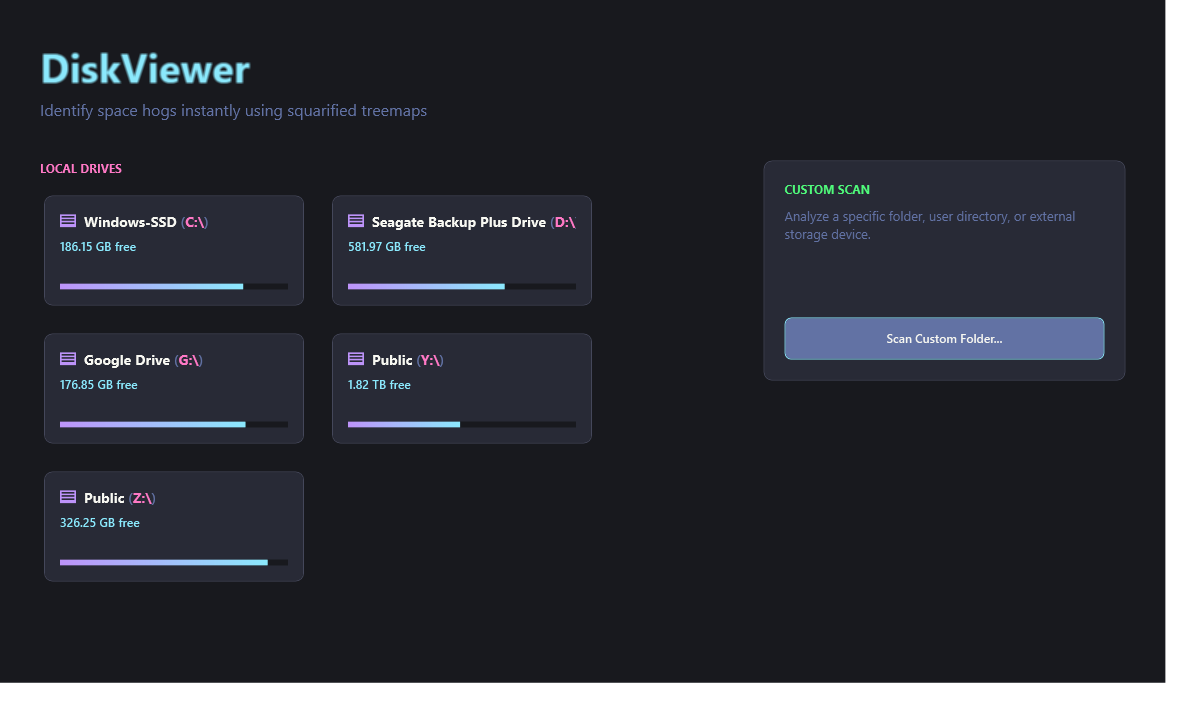
Experience the Treemap in Your Browser
Hover over blocks to inspect file metadata. Click any folder block to drill down into its contents, or click the breadcrumbs to navigate back up.
Engineered for Raw Speed & Clarity
Most disk utilities look like they were designed in 1998 or take 500MB of RAM just to boot. DiskViewer was built from the ground up for modern Windows.
Squarified Treemaps
Implements the acclaimed Bruls-Huizing-van Wijk algorithm. Subdivides disk usage into neat, squarified rectangles instead of narrow, unreadable slivers.
Blazing Multi-Threaded Scan
Iterative stack traversal with smart throttled UI progress reporting. Traverses hundreds of thousands of files across SSDs or HDDs in seconds without UI stutter.
Color-Coded File Taxonomy
Files are automatically categorized and colored by their format—video files glow magenta, archives shine amber, executables turn green, and code files glow indigo.
Instant Drill-Down
Double-click any rectangle to zoom into that subfolder immediately. Navigate up and down your tree effortlessly with fluid breadcrumb navigation.
Safe File Operations
Take action directly from the sidebar. Open files, reveal in Windows File Explorer, or safely delete items. Top-level root deletion protection prevents accidental damage.
Zero Bloatware / 400 KB
Zero Chromium dependencies. Zero electron overhead. Written in native C# .NET 9.0 and hardware-accelerated WPF with frozen GDI resources for minimum RAM usage.
Color-Coded at a Glance
Spot your files immediately without reading thousands of file extensions. DiskViewer uses a harmonious, Dracula-inspired palette:
How Does It Compare?
A fast, modern alternative to decades-old utilities and resource-heavy commercial bloatware.
| Feature |
 DiskViewer
|
WinDirStat | TreeSize Free | Windows Storage |
|---|---|---|---|---|
| Squarified Treemap Layout (Balanced Rectangles) | ||||
| Modern Dark Theme (Dracula palette) | ||||
| Download Size | < 1 MB | ~1 MB | ~25 MB | Built-in |
| Interactive Double-Click Drilldown | ||||
| Single-File Portable Executable | ||||
| Telemetry, Ads, or Upsells | ||||
| License & Pricing | Free (GPL) | Paid Tiers | Built-in |
Get DiskViewer for Windows
Download the installer package or grab the standalone portable build. Both are completely free to use.
Windows Installer
- Installs to
Program Files\DiskViewer - Adds Windows Start Menu & Desktop shortcuts
- Clean uninstaller via Windows Settings
- WiX v4 native installer engine
BFC40273C94F9540C5F94FFF618EFB7C7B7DC203EA88E91339D26FF83E2DC461
Standalone Portable
- No installation required—run from anywhere
- Perfect for USB flash drives and portable toolkits
- Leaves zero registry footprint
- Single consolidated executable
430BEAE45DD610188A5FD5808E405DA21A7512A3D1C522909F7E760EF9C36B0A
msiexec /i DiskViewer.msi /quiet /norestart
Frequently Asked Questions
Traditional treemaps often produce tall, thin "slivers" that are impossible to read or click. DiskViewer implements the Bruls-Huizing-van Wijk algorithm, which calculates subdivision to keep aspect ratios as close to 1:1 squares as possible. This makes large files instantly recognizable and readable.
Absolutely not. DiskViewer is 100% offline and respects your privacy. It contains no analytics, no network connections, no background updaters, and no telemetry of any kind. Your filesystem information never leaves your machine.
DiskViewer runs on 64-bit Windows 10 and Windows 11. It requires the .NET Desktop Runtime 9.0 (installed automatically on modern Windows or available free from Microsoft). The app itself requires less than 2 MB of disk space.
Yes. DiskViewer includes native safety guardrails: the Delete button is automatically disabled for root scan drives and system roots so you can never accidentally wipe a top-level drive. You can also use the "Reveal" button to inspect any item in Windows File Explorer before taking any action.
If you installed via the .msi installer, simply go to Windows Settings > Apps >
Installed Apps, locate DiskViewer, and click Uninstall. If you downloaded the portable
.exe, simply delete the executable file—no registry keys or hidden files are left behind.